POST Counts
The ability to easily show a total count of available time slots across your resources.
Find total available time slots for resource
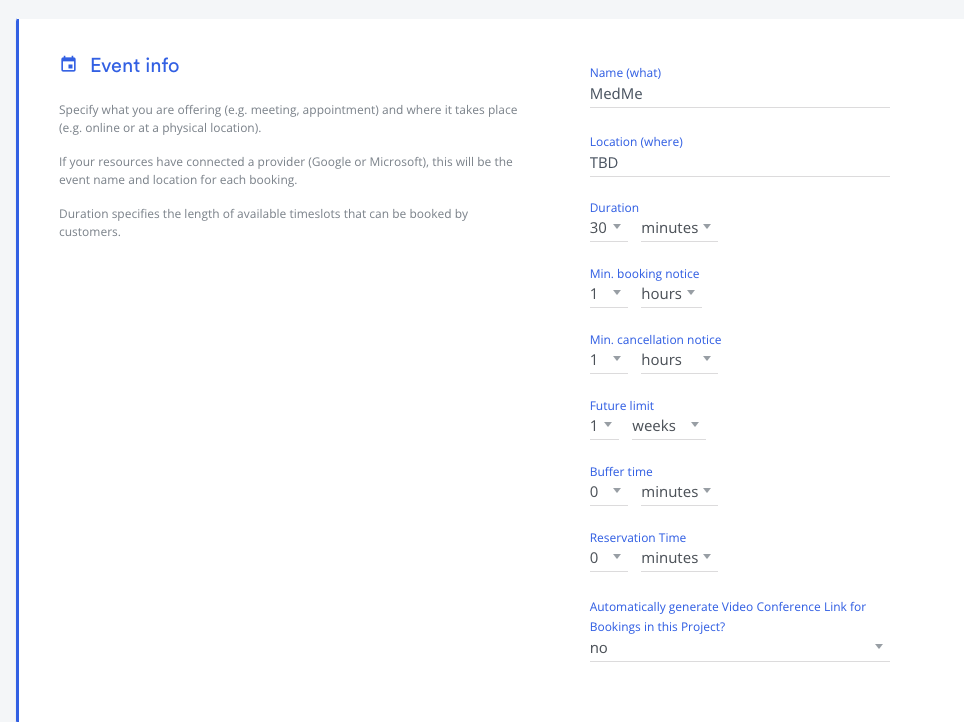
In time kit you can create a new project and configure store opening hours and define default length of the appointment and future limit.
Event setting screen:
Project opening hours setting screen:
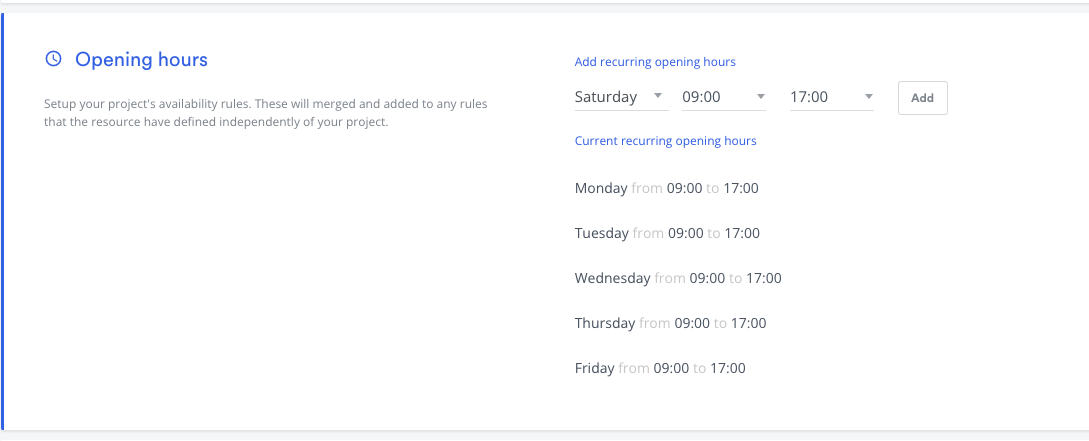
When you pass project_id in your request payload it will inherit above settings by default. /v2/availability/count endpoint will use your project settings to figure out available time slots for your resource.
Project level settings can be override with your resource allow/block availability constraints. For example: if your project allows Monday 9-5PM time available however in your resource settings you override opening hours that will affect your count endpoint results.
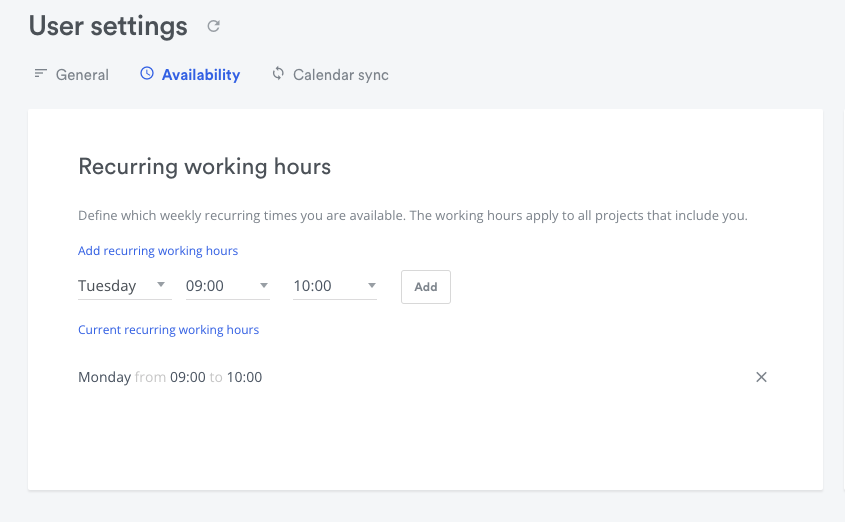
In above case you will only see time slots count only for Monday because you have blocked other days in your resource settings.
Endpoint
POST https://api.timekit.io/v2/availability/count
Parameters
| Name | In | Type | Required | Default | Description |
|---|---|---|---|---|---|
from |
body | string | now | Defines the beginning of the search-space written is human language, eg. "1 day", "2 weeks" or "tomorrow" | |
to |
body | string | 4 weeks | Defines the end of the search-space written is human language, eg. "1 day", "2 weeks" or "tomorrow" (max 6 months) | |
project_id |
body | string | If you're using our projects model, specify the project ID and all parameters to the endpoint will be retrieved dynamically from the project. Any additional parameters in the request are not required and will override those set in the project. | ||
resources |
body | array_string | Array of resource IDs that should be included in the availability search | ||
length |
body | string | How long each available time-slot should be (minimum 1 second). If you omit it (and the project does not set one), free periods of varying length are used instead of fixed-length time-slots. To get this, leave the key out: sending null or "Null" is rejected. |
||
buffer |
body | string | 0 mins | The amount of buffer time you want to pad around existing events (cannot be negative) https://developers.timekit.io/reference/query-availability-v2#section-buffer-time | |
timeslot_increments |
body | string | Define at which time increments the time-slots should start (minimum 5 minutes). Please see the note |
Request examples
curlcurl --request POST \
  --url https://api.timekit.io/v2/availability/count \
  --header 'Content-Type: application/json' \
  --user :live_api_key_7nzvc7wsBQQISLeFSVhROys9V1bUJ1z7 \
  --data '{
    "to": "2022-04-21T17:00:00-04:00",
    "from": "2022-04-21T09:00:00-04:00",
    "project_id": "f7df8e1e-f04b-4e3f-9376-ed82b41f4036",
    "resources": [
        "a6fc1bdb-8035-4007-919b-6276b9124eb8"
    ]
  }'
Response examples
200
json{
    "total": 8
}
total is the sum of available resources across all time slots: a time slot where two resources are available counts as 2. For a single resource, this is the number of available time slots.