State change on bookings
In this article we will have a look at how you can apply actions to bookings in order to change their state.
This tutorial assumes that you have read the introduction to booking graphs and understood what it means to perform an action on a booking.
Confirming a booking
We have created a booking with the confirm/decline graph - how do we confirm the newly created booking that is now in the "tentative" state?
After a booking with the confirm/decline graph is created, we need to confirm it in order for the booking på be added to the resource's calendar and block its availability at the given time-slot. Confirming is done by performing the action "confirm" on the booking. This is done like this:
curlcurl --request PUT \
  --url https://api.timekit.io/v2/bookings/58190fc6-1ec0-4ebb-b627-7ce6aa9fc703/confirm \
  --header 'Content-Type: application/json' \
  --user :live_api_key_7nzvc7wsBQQISLeFSVhROys9V1bUJ1z7 \
  --data '{}'
Pretty simple huh? The booking has now been put into the resource's calendar and is reserving the time-slot. This is using the [PUT] /bookings/:id/:action endpoint to apply the confirm action to the booking.
Declining a booking
declining a booking means that the resource being booked for some reason cannot accept the booking.
Declining a booking looks very similar to confirming it:
curlcurl --request PUT \
  --url https://api.timekit.io/v2/bookings/58190fc6-1ec0-4ebb-b627-7ce6aa9fc703/decline \
  --header 'Content-Type: application/json' \
  --user :live_api_key_7nzvc7wsBQQISLeFSVhROys9V1bUJ1z7 \
  --data '{
   "decline":{
      "message":"Sorry, I am not available at that location"
   }
}'
The only difference here is the name of the action (decline) and the message that will be included in notifications to the customer.
Timekits default behaviour is to send a decline email to the customer, looking like this:
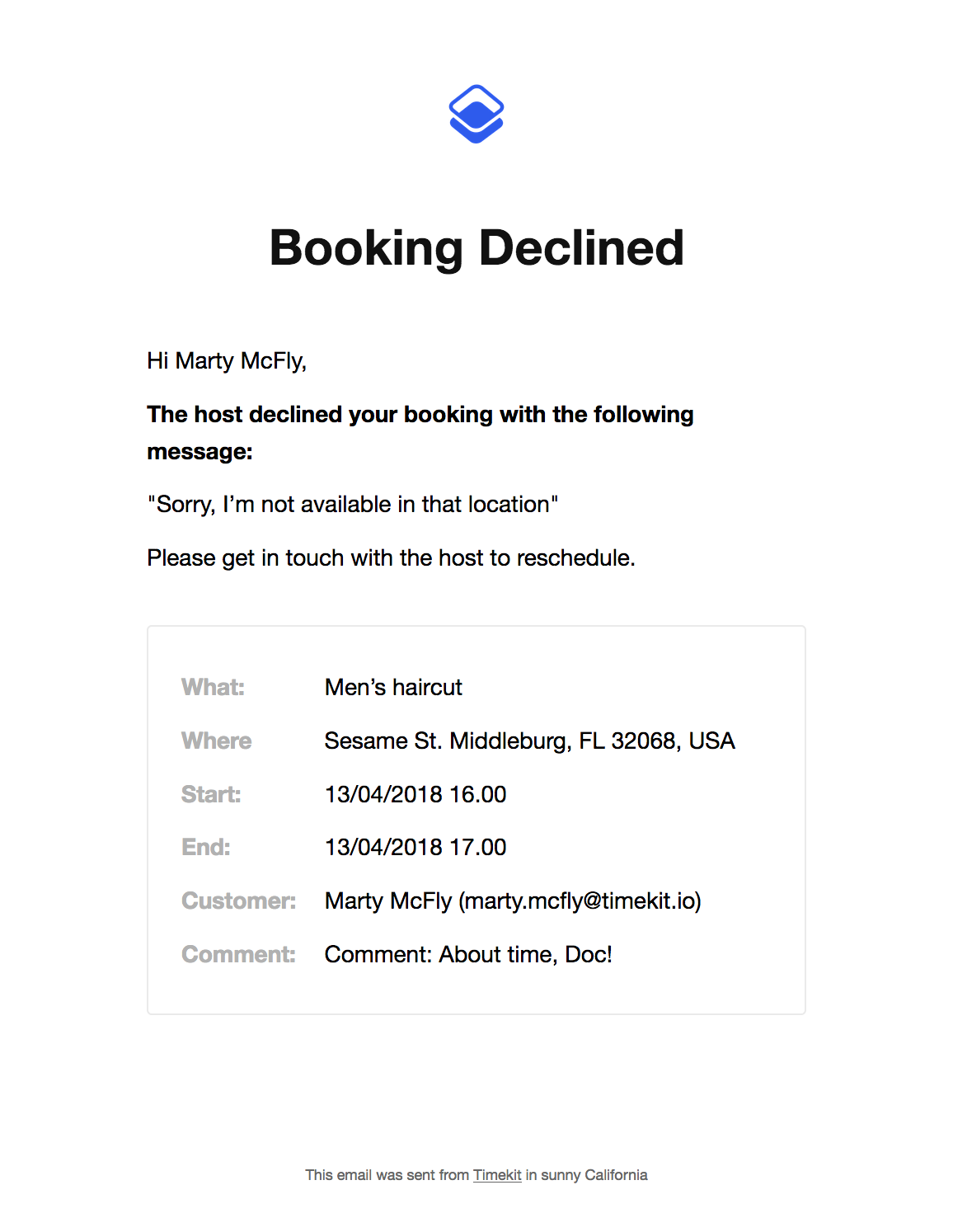
You can disable this email by disabling emails in our admin interface, this means that you should handle declines yourself through webhooks, but that is a different tutorial.
Cancelling a booking
Cancellations are basically just an action that you issue on a booking, there's just a few small details worth knowing.
Issuing a cancel request looks like this:
curlcurl --request PUT \
  --user :live_api_key_7nzvc7wsBQQISLeFSVhROys9V1bUJ1z7 \
  --header 'Content-Type: application/json' \
  --url https://api.timekit.io/v2/bookings/58190fc6-1ec0-4ebb-b627-7ce6aa9fc703/cancel \
  --data '{
    "cancel": {
      "message": "Sorry, gotta fix the DeLorean"
    }
  }'
Whats worth noting is the cancel message that will be included in Timekit's default emails.
After issuing the cancel action, the booking will enter a cancelled state and a notification email will be sent to both the owner and customer, unless emails have been disabled.
The cancel action is available on the instant, confirm_decline and group_owner graphs. Customer bookings on the group_customer graph use cancel_by_owner or cancel_by_customer instead.